Disclaimer and Risk Warning: This content is for general information and educational purposes only, without representation or warranty. It should not be construed as financial, legal, or other professional advice, nor intended to recommend purchasing any specific product or service. You should seek advice from appropriate professional advisors.
Swapping assets across blockchains has often been a hassle, like dealing with bridges, multiple apps, and long wait times. With PancakeSwap's new Crosschain Swap feature we’re changing that. Now, you can swap tokens between BNB Chain, Arbitrum, and Base instantly and securely, all within the PancakeSwap interface you already use.
No bridges, no extra apps, just one-click Crosschain Swaps powered by Across Protocol.
Key Features of PancakeSwap’s Crosschain Swaps
- Built Into PancakeSwap UI: Crosschain Swaps are fully integrated into the existing PancakeSwap Swap page — no need to leave the platform.
- One-Click Crosschain Swaps: Swap assets between chains with a single transaction. No bridging, no extra steps — just one smooth, unified experience.
- Fast Transactions: Transactions usually complete within seconds, often under a minute.
- Multi-Chain Support: Swap across: BNB Chain, Arbitrum, and Base. Any token with available liquidity on PancakeSwap can be seamlessly swapped across these chains.
- Low Fees: At launch, PancakeSwap will not charge any additional fees for crosschain trading beyond the standard AMM trading fee. However, a separate bridge fee will apply, which is paid to Across Protocol relayers who facilitate the transaction.
How to Do a Crosschain Swap on PancakeSwap
Doing Crosschain Swaps on PancakeSwap is just as simple as using the regular swap feature. Here’s how to get started:
1. Visit the PancakeSwap Swap Page
2. Connect your wallet.
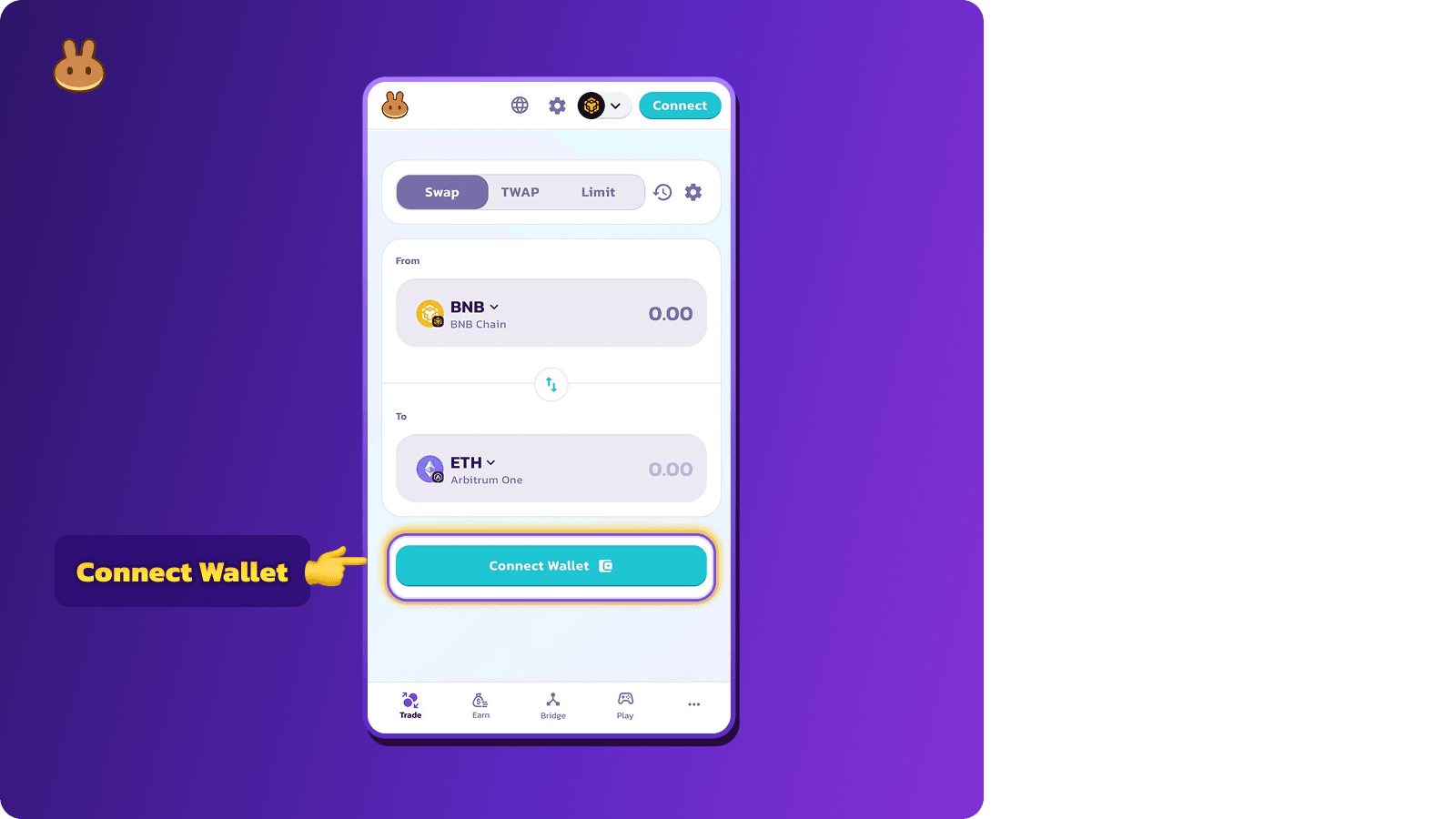
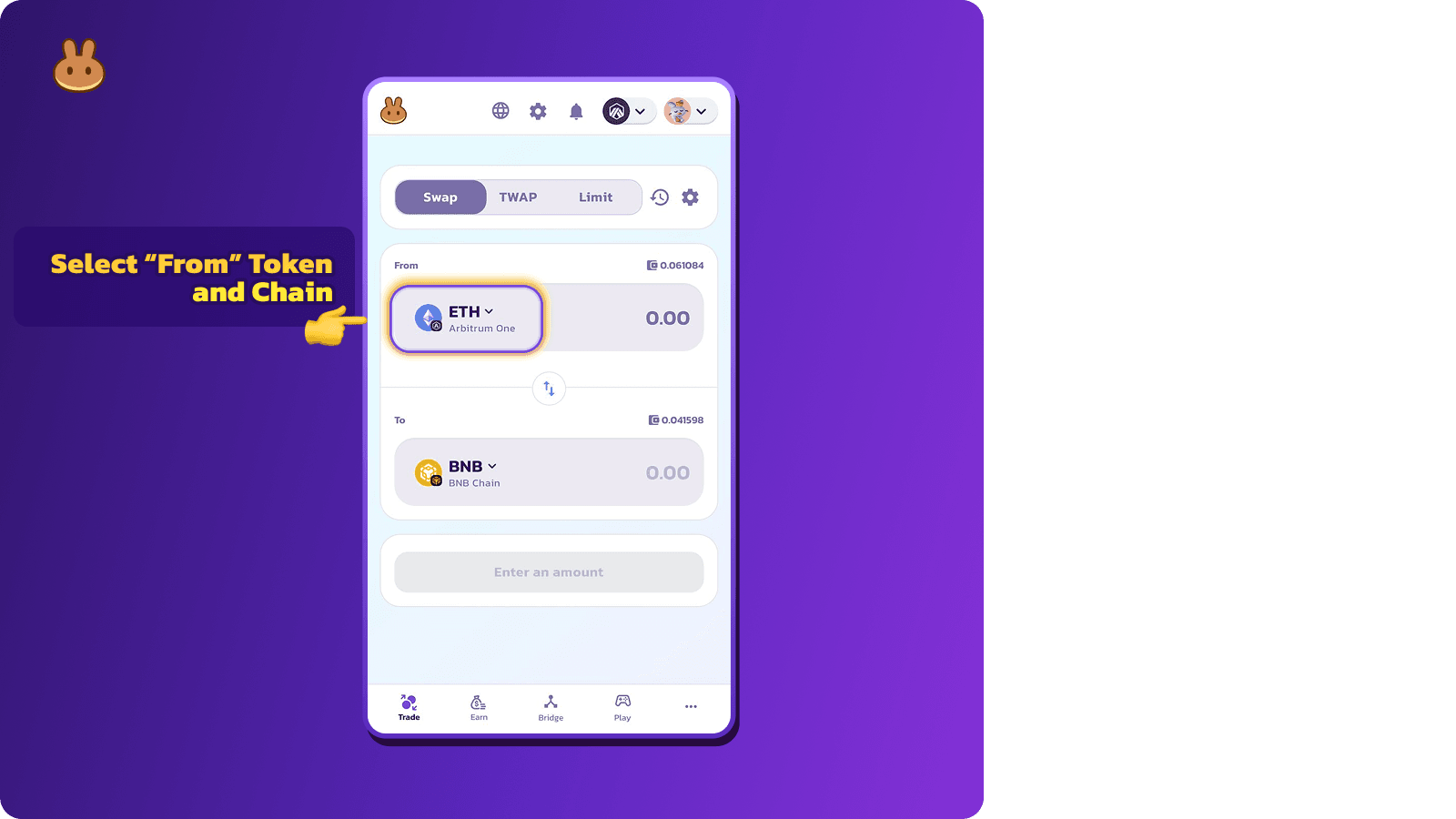
3. Select the Origin Token and Chain you're swapping from (e.g. ETH from Arbitrum)
4. Select the Destination Token and Chain where you want to receive the tokens. (e.g., BNB on BNB Chain)
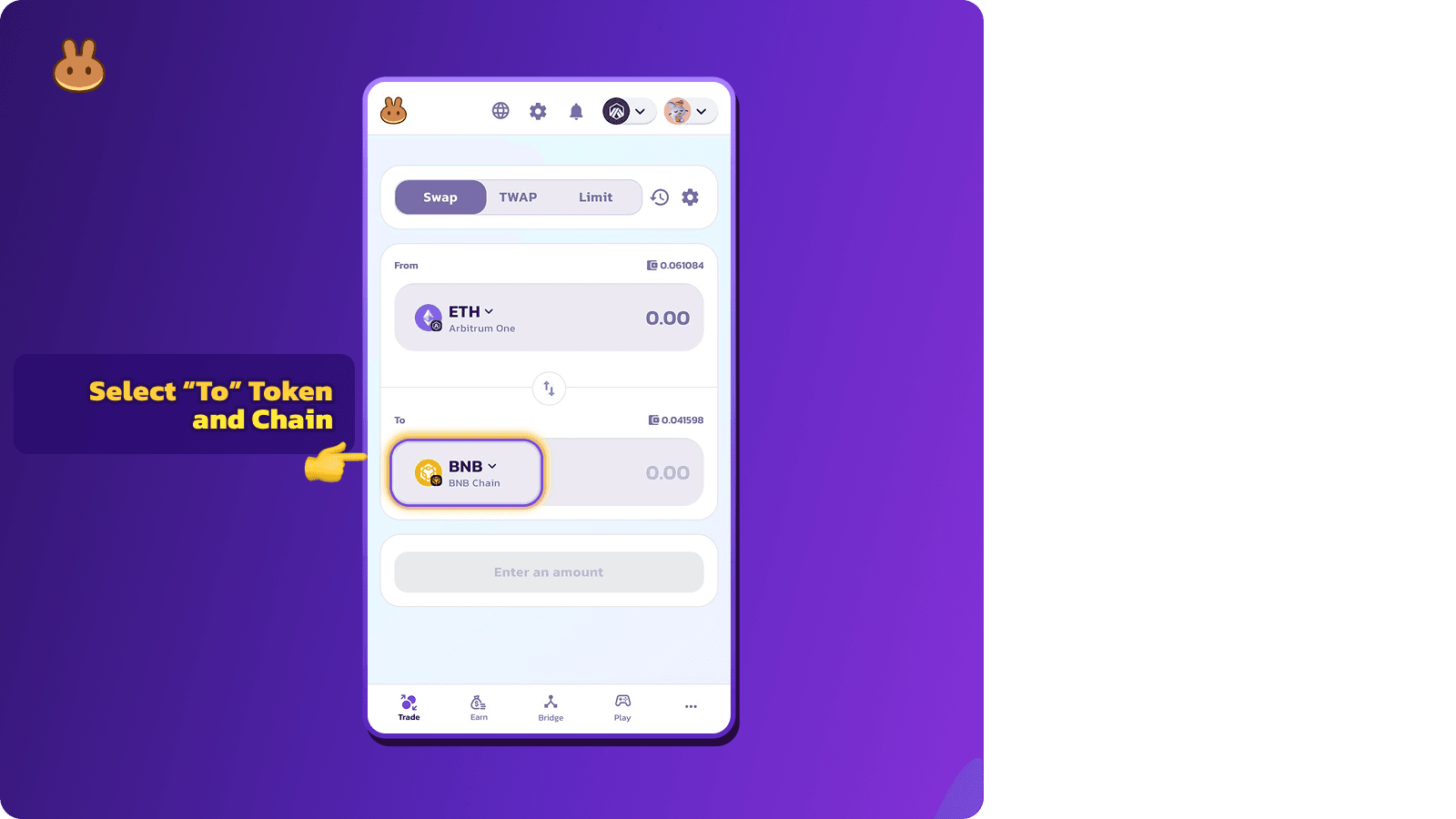
Note: Both the input and output tokens must be supported by liquidity pools on PancakeSwap.
5. Enter the amount and click on “Swap”.
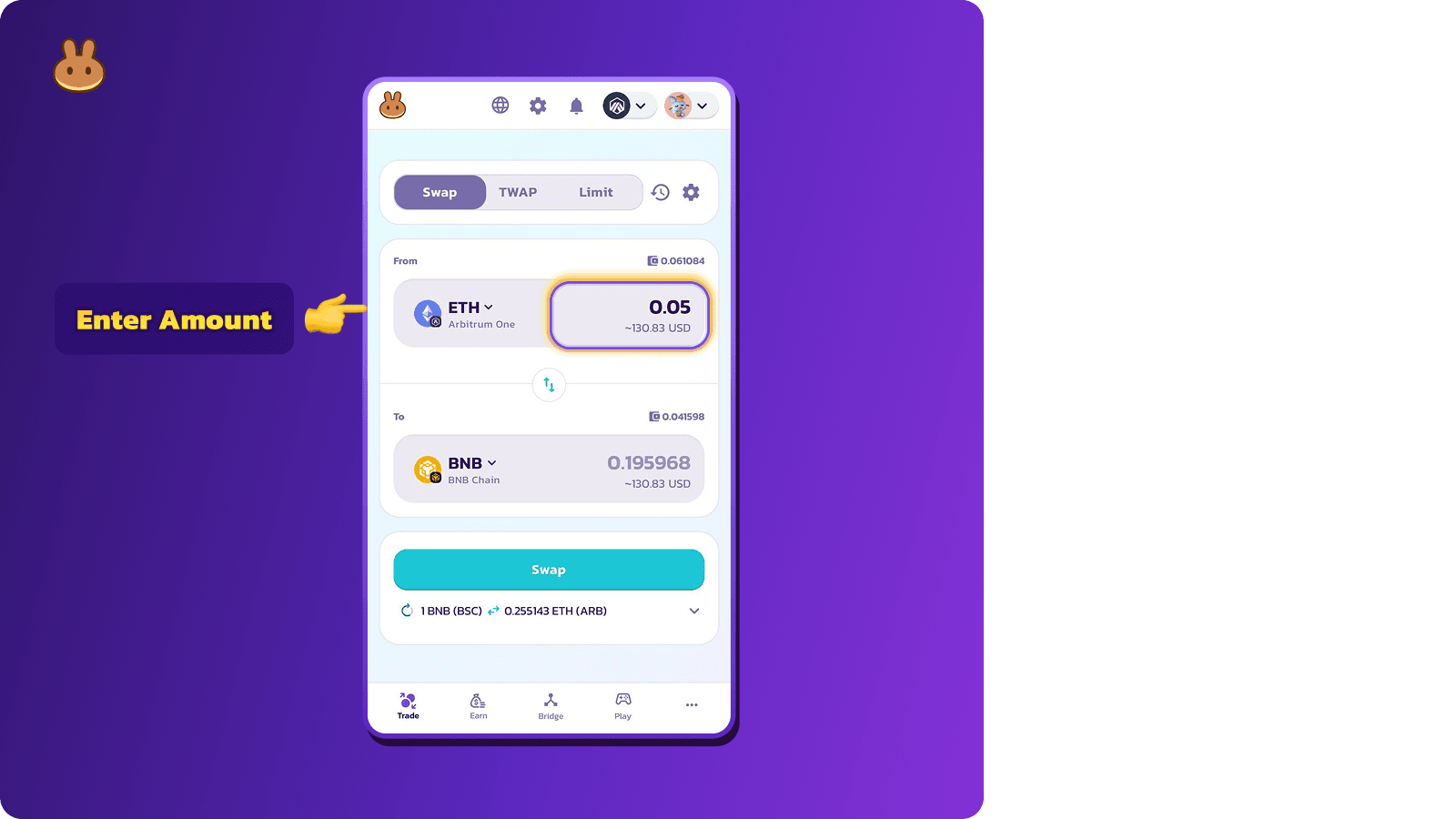
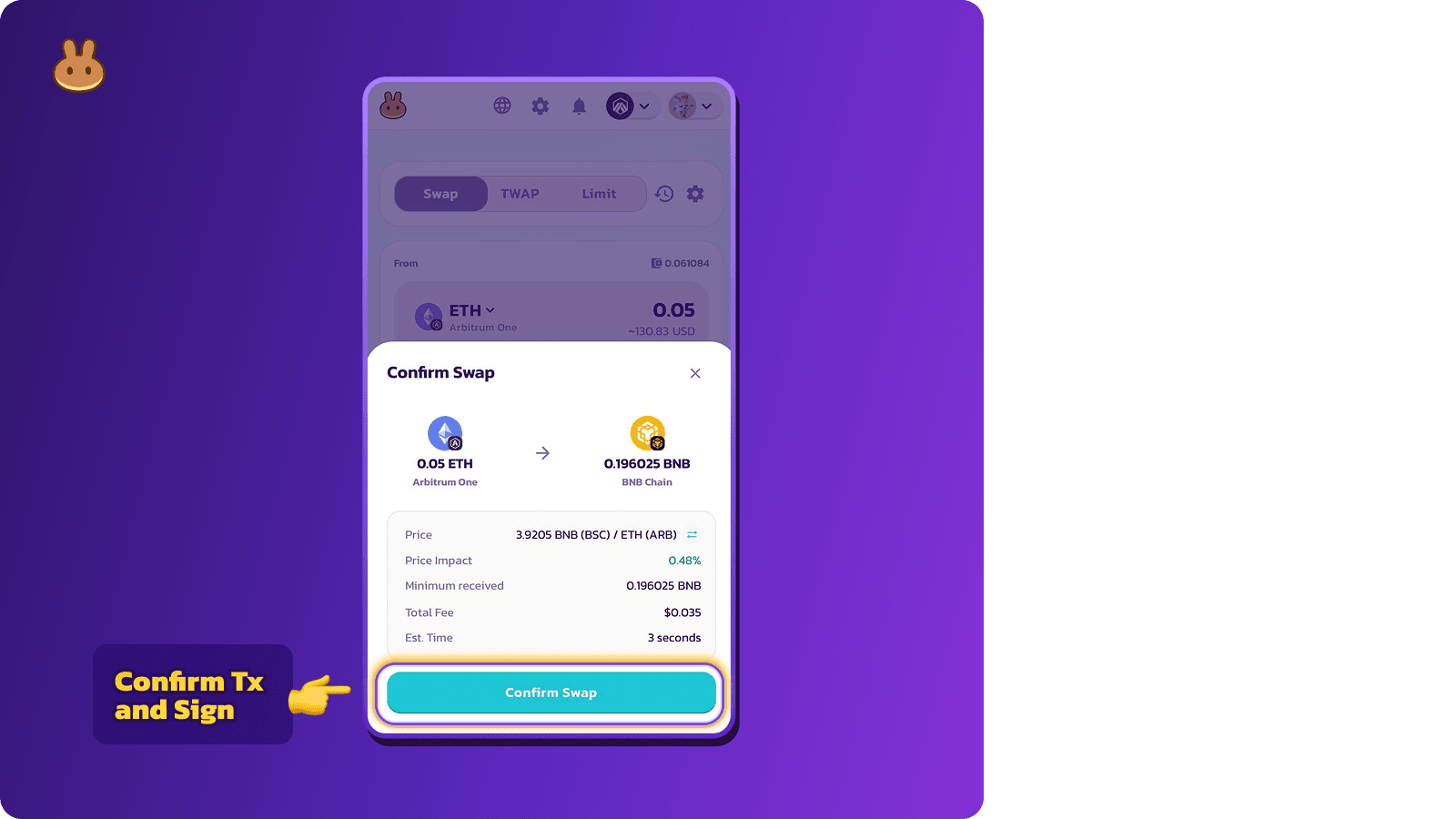
6. Review the transaction details (including fees, estimated token received, time etc.)

7. Confirm and sign the transaction in your wallet.
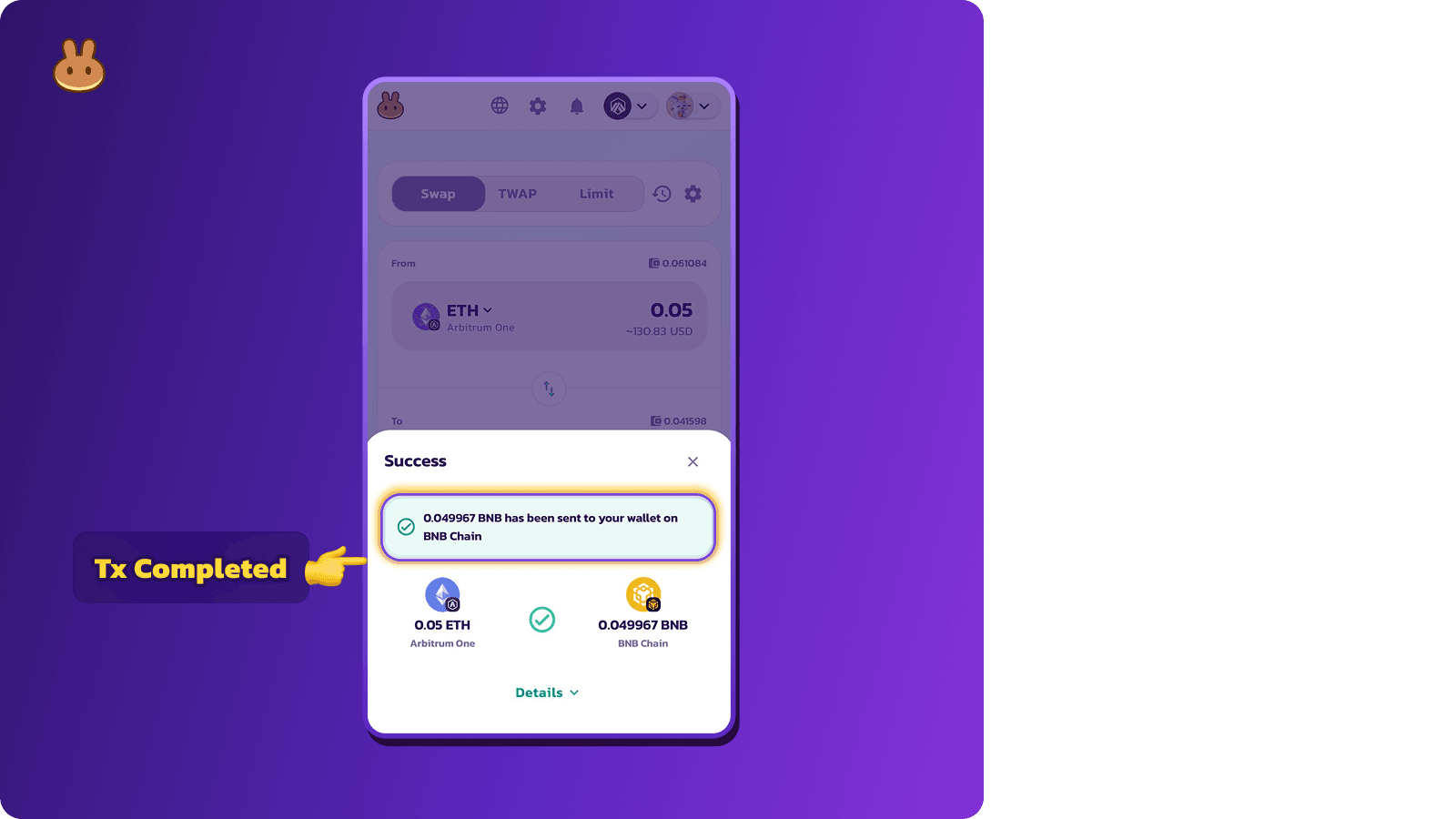
8. Transaction is successfully completed.
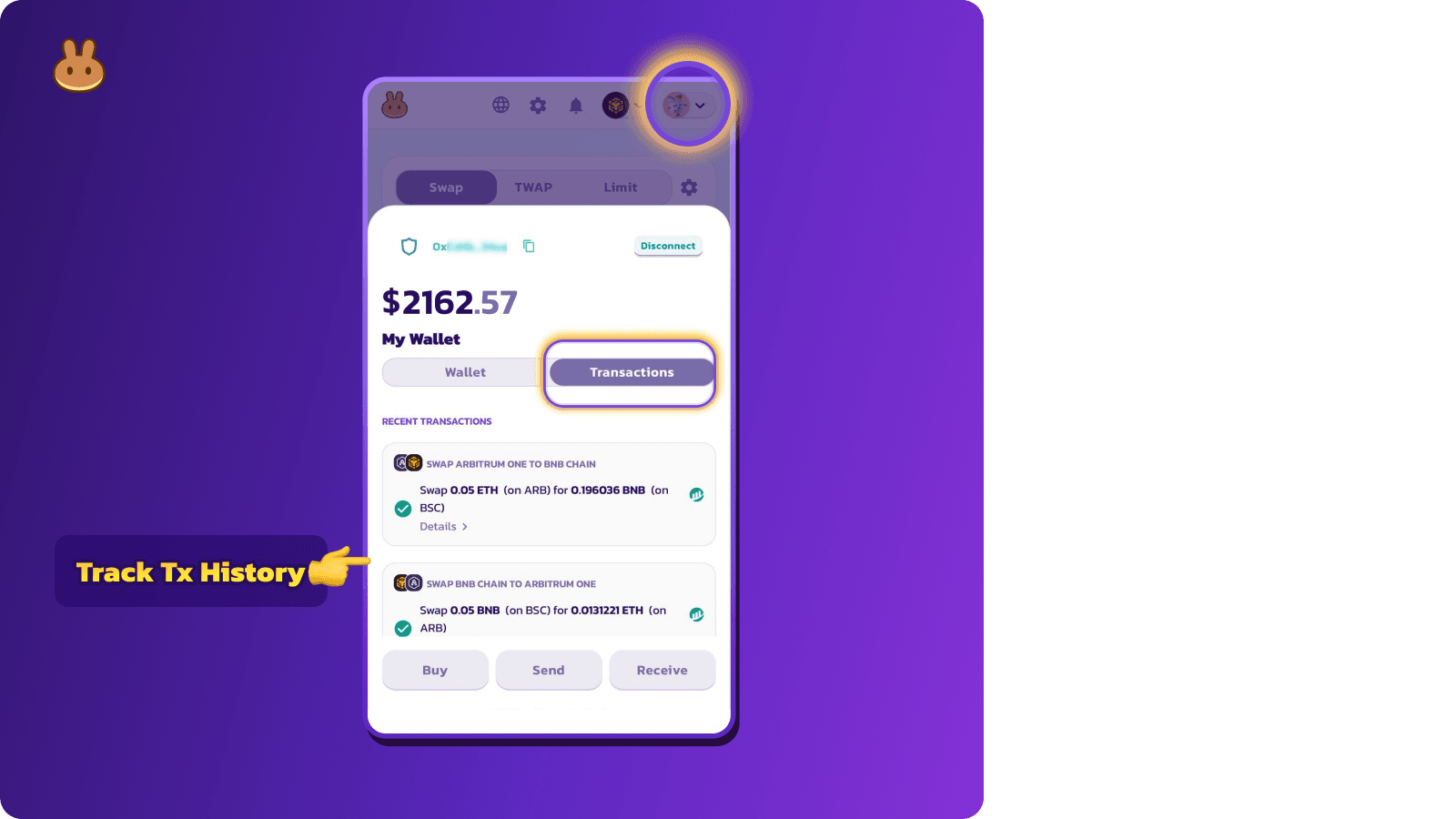
9. You can view the transaction directly from your wallet history.
Ready to Try It?
Visit PancakeSwap.finance/swap today and experience the power of one-click Crosschain Swaps.
The Chefs