As part of our mission to make DeFi simple, social, and fun, we launched Pancake Gifts — the easiest way to send and receive crypto onchain.
Whether you're welcoming a friend to web3 or sharing a surprise gift with someone special, Pancake Gifts makes the process effortless, even for those who’ve never used crypto. In this guide, we’ll walk you through how to send and claim a Pancake Gift in just a few taps.
How to Send a Pancake Gift
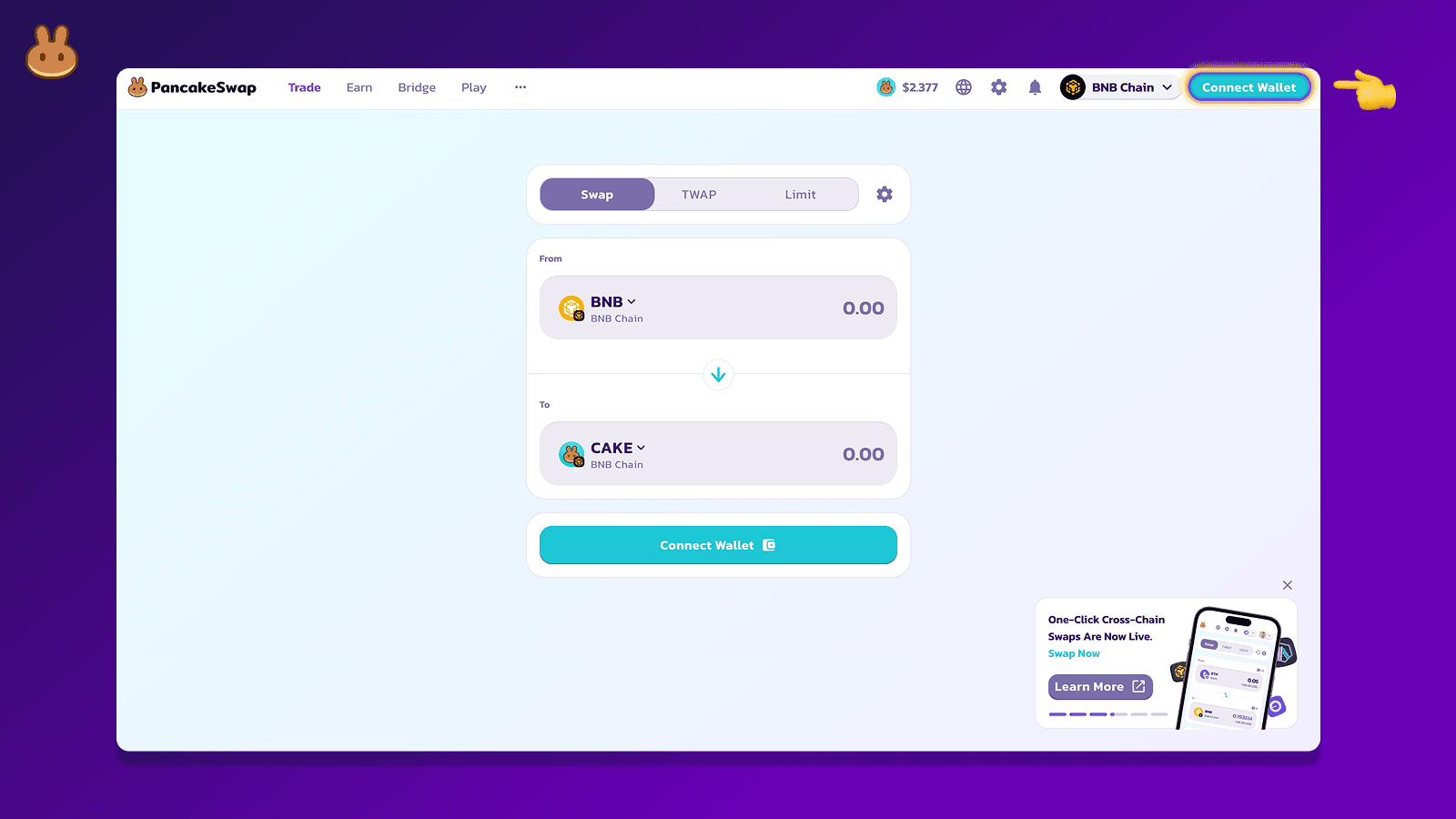
1. Visit the PancakeSwap and “Connect” your wallet.
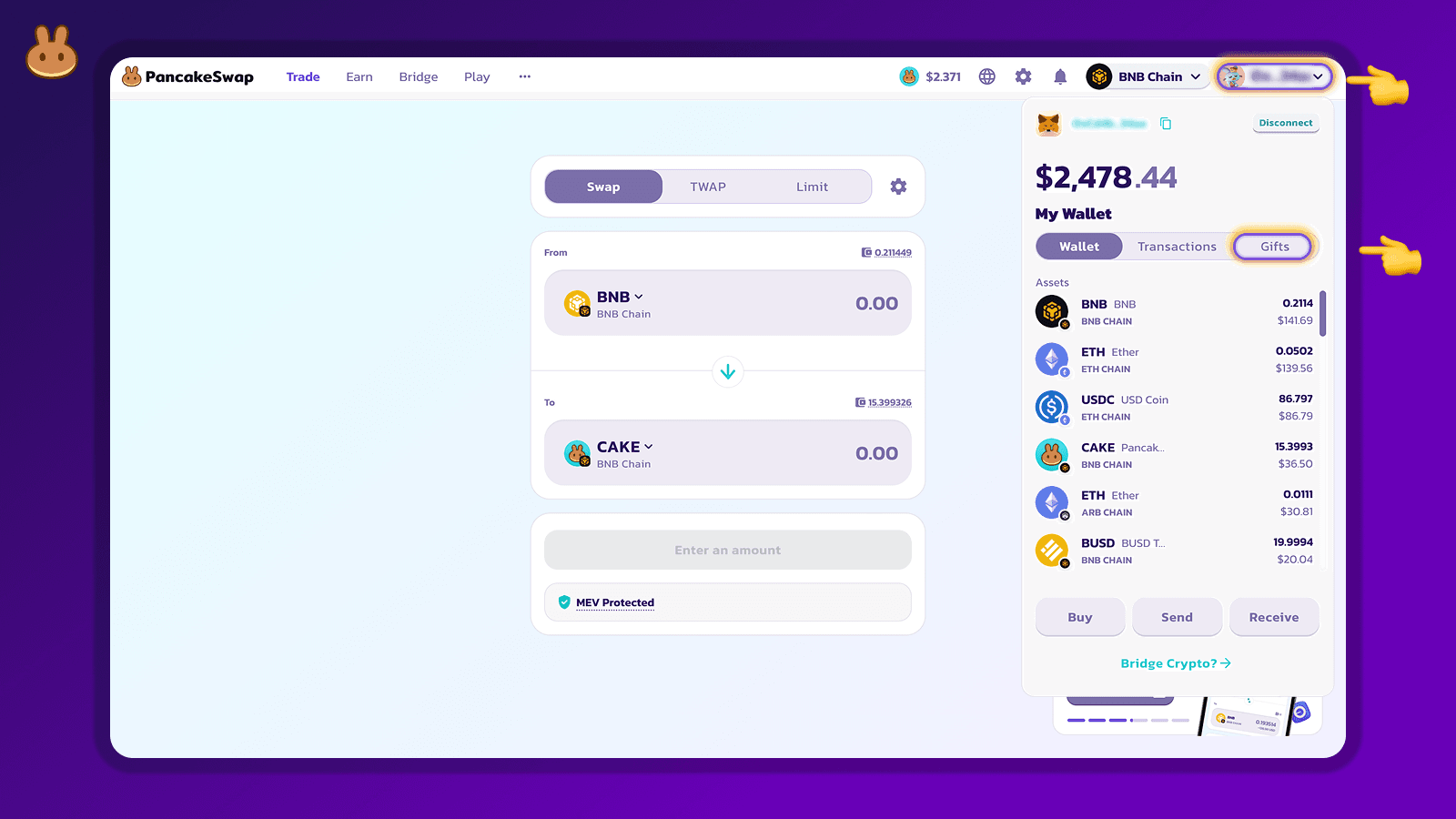
2. Navigate to the “Wallet” section and Click on the “Gift” section.
3. Select “Create Gift.”

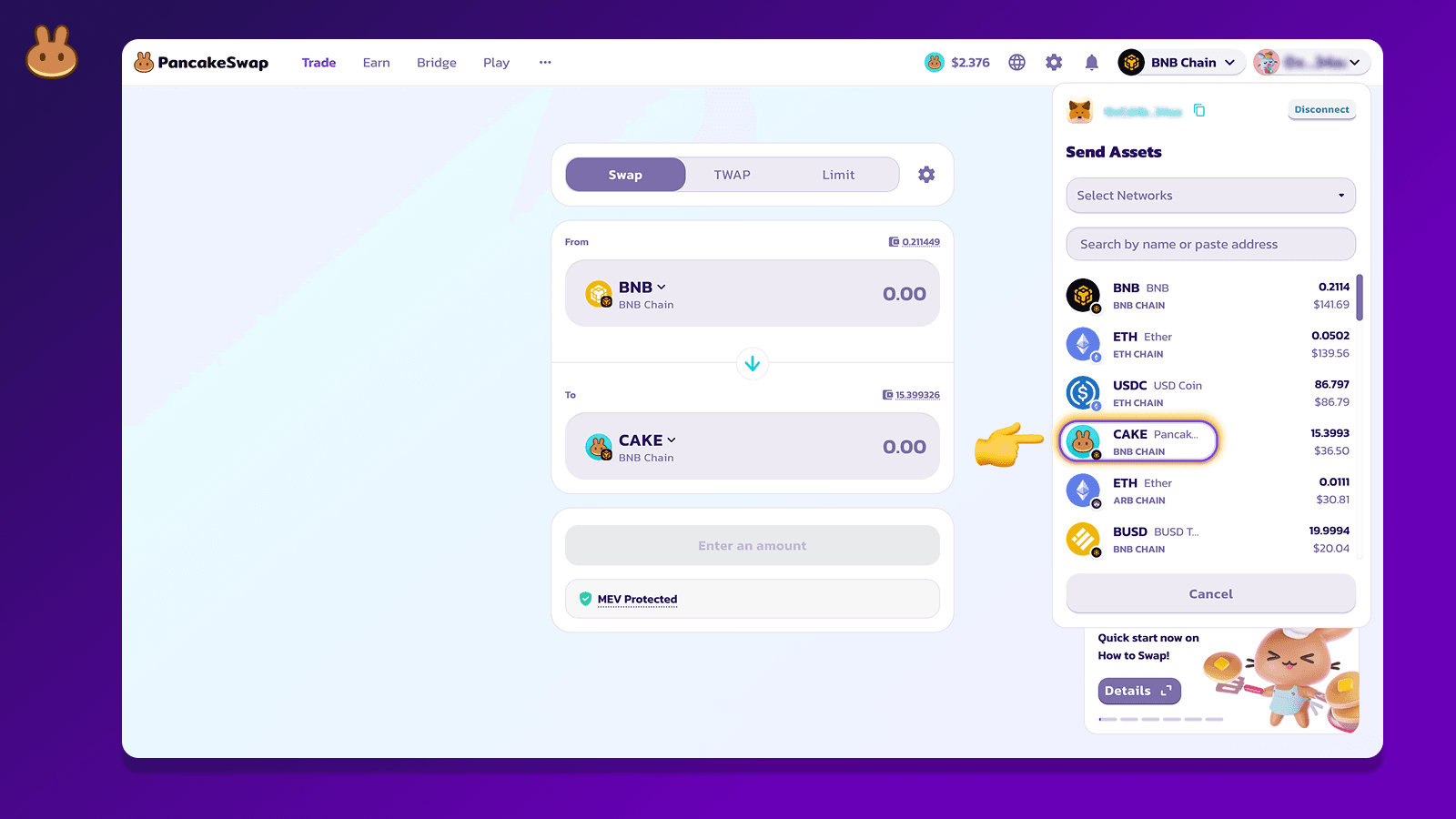
4. Select the token you want to send (e.g. CAKE).
5. Enter the amount of tokens to send and click on “Send as Gift.”
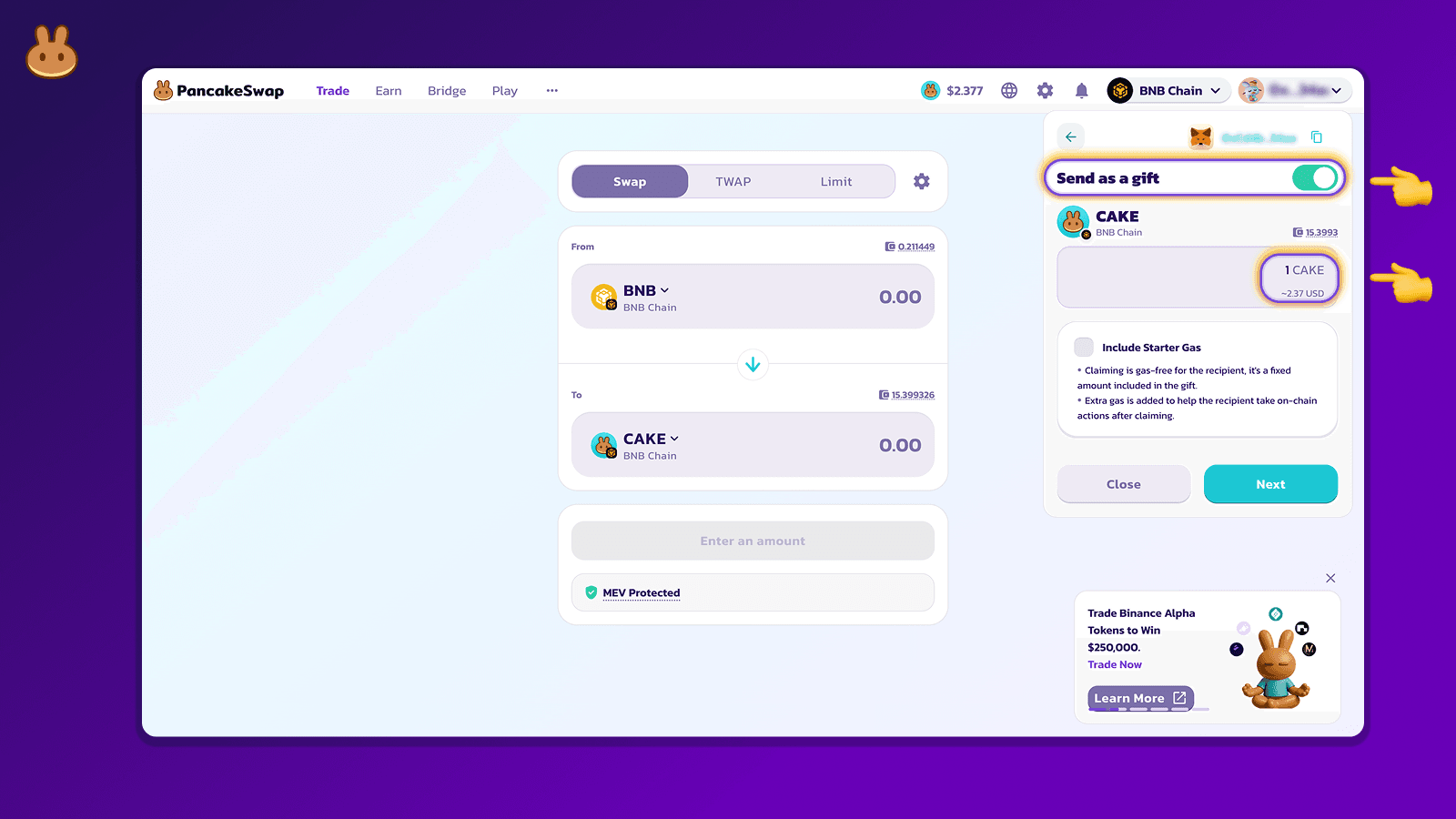
6. Add BNB for gas (optional): Toggle “Include gas fee” and enter a small BNB amount as gas so your recipient can claim the gift even if they have no funds. You can also skip this if you prefer. Then Click on “Next.”
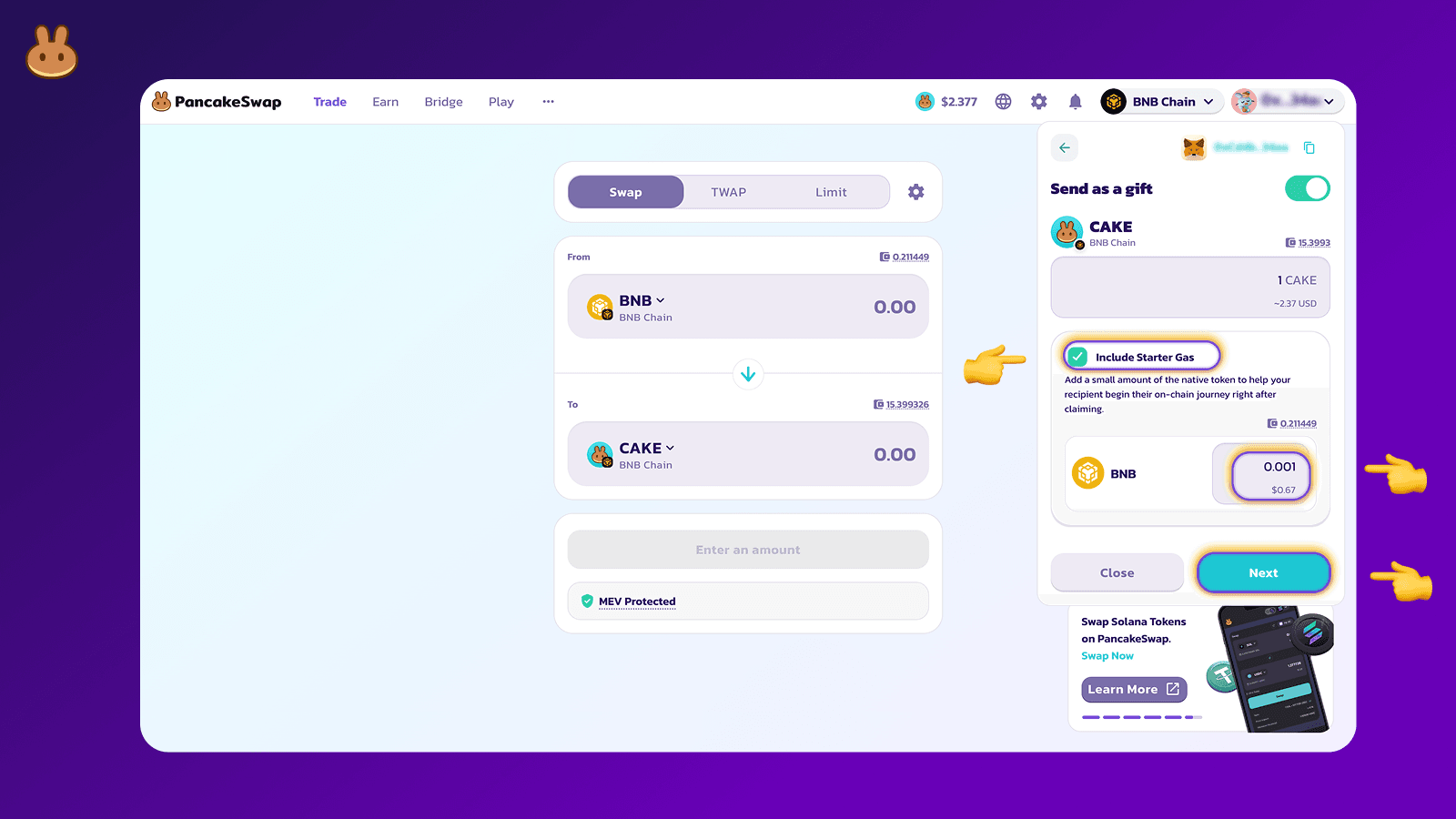
7. Review your gift details and click on “Create Gift.”
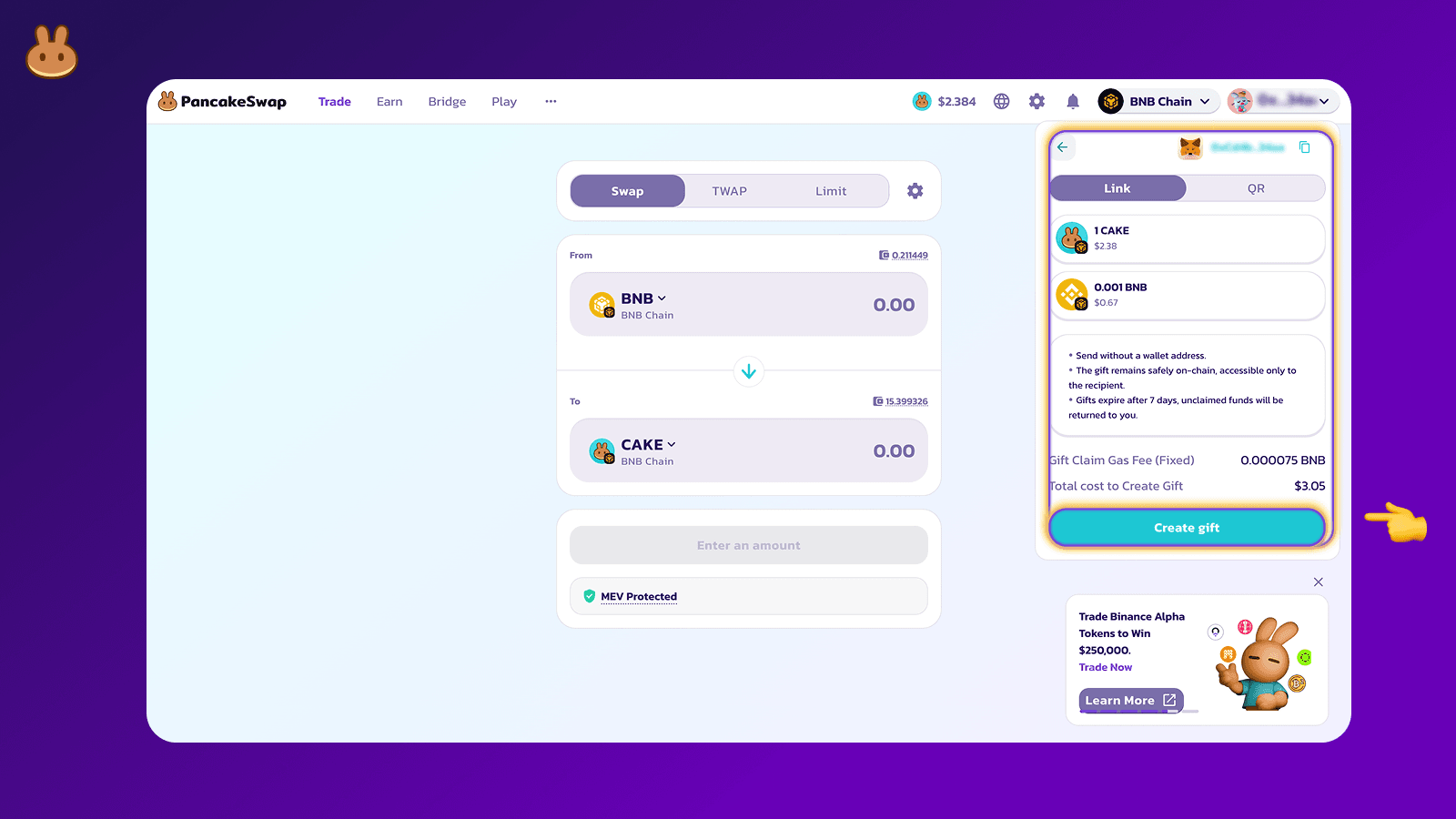
8. Choose to send the gift via Link or QR Code.
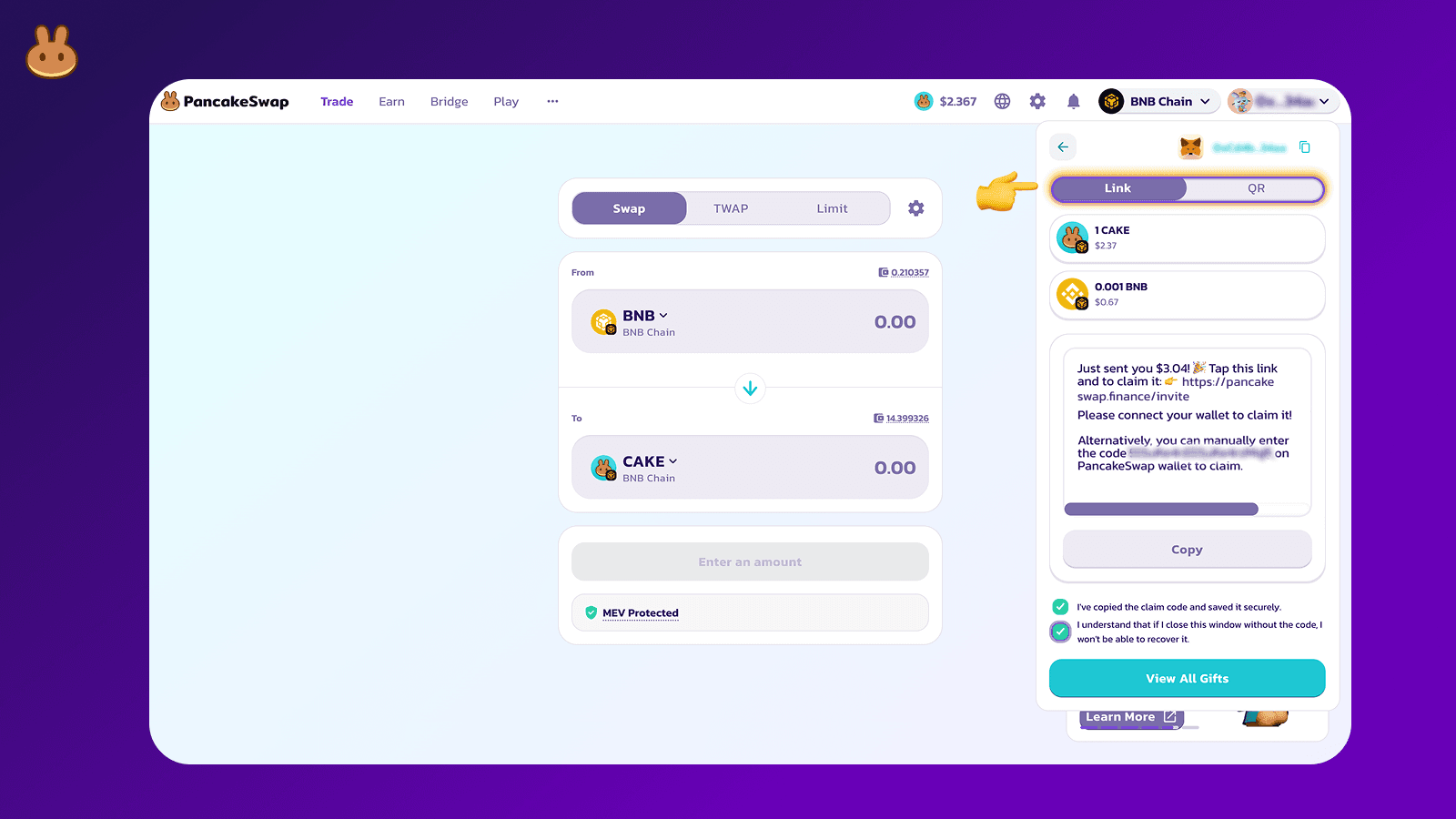
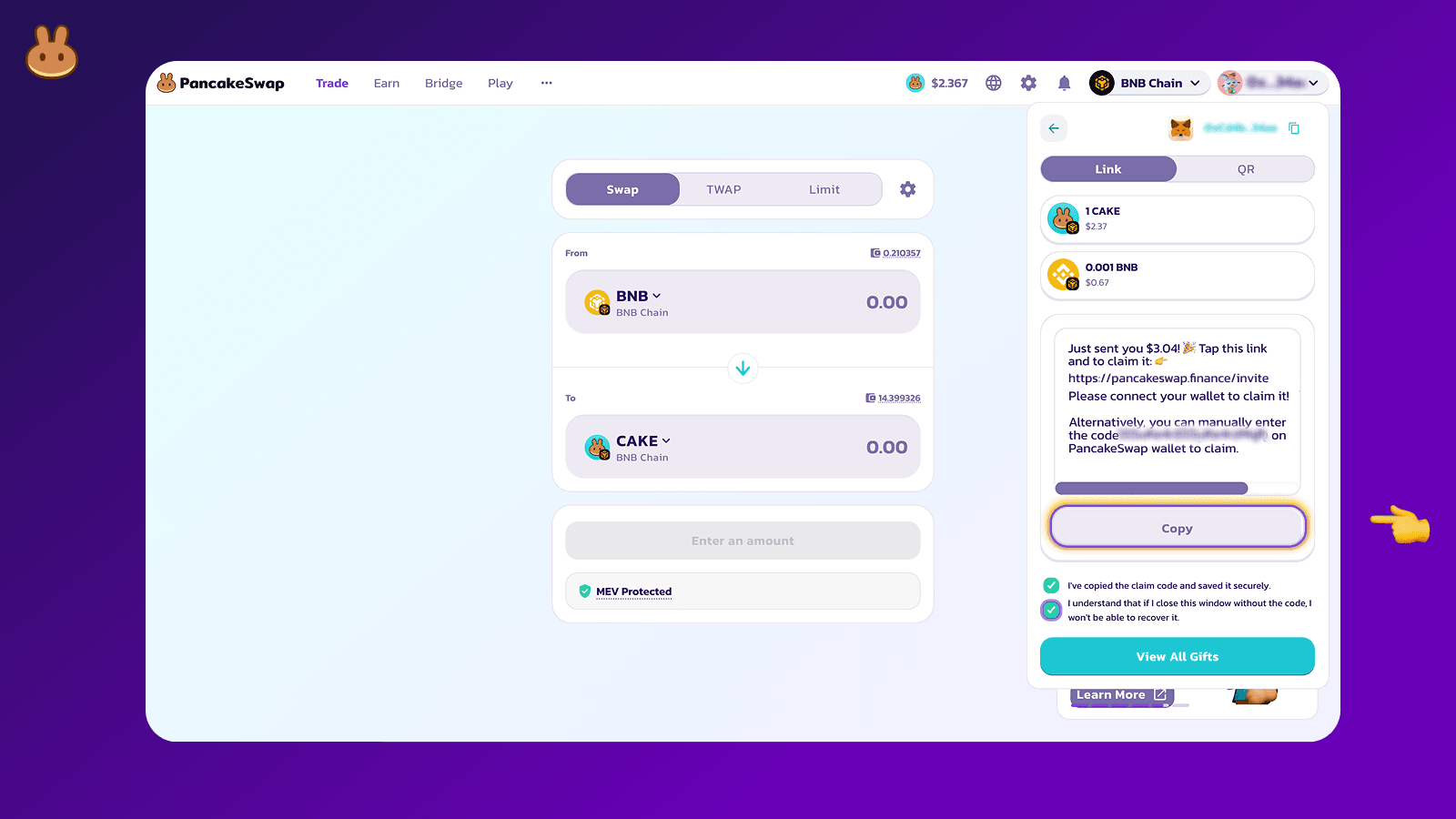
9. Your gift is ready! Copy and share the gift code or link with your recipient.
How to Claim a Pancake Gift
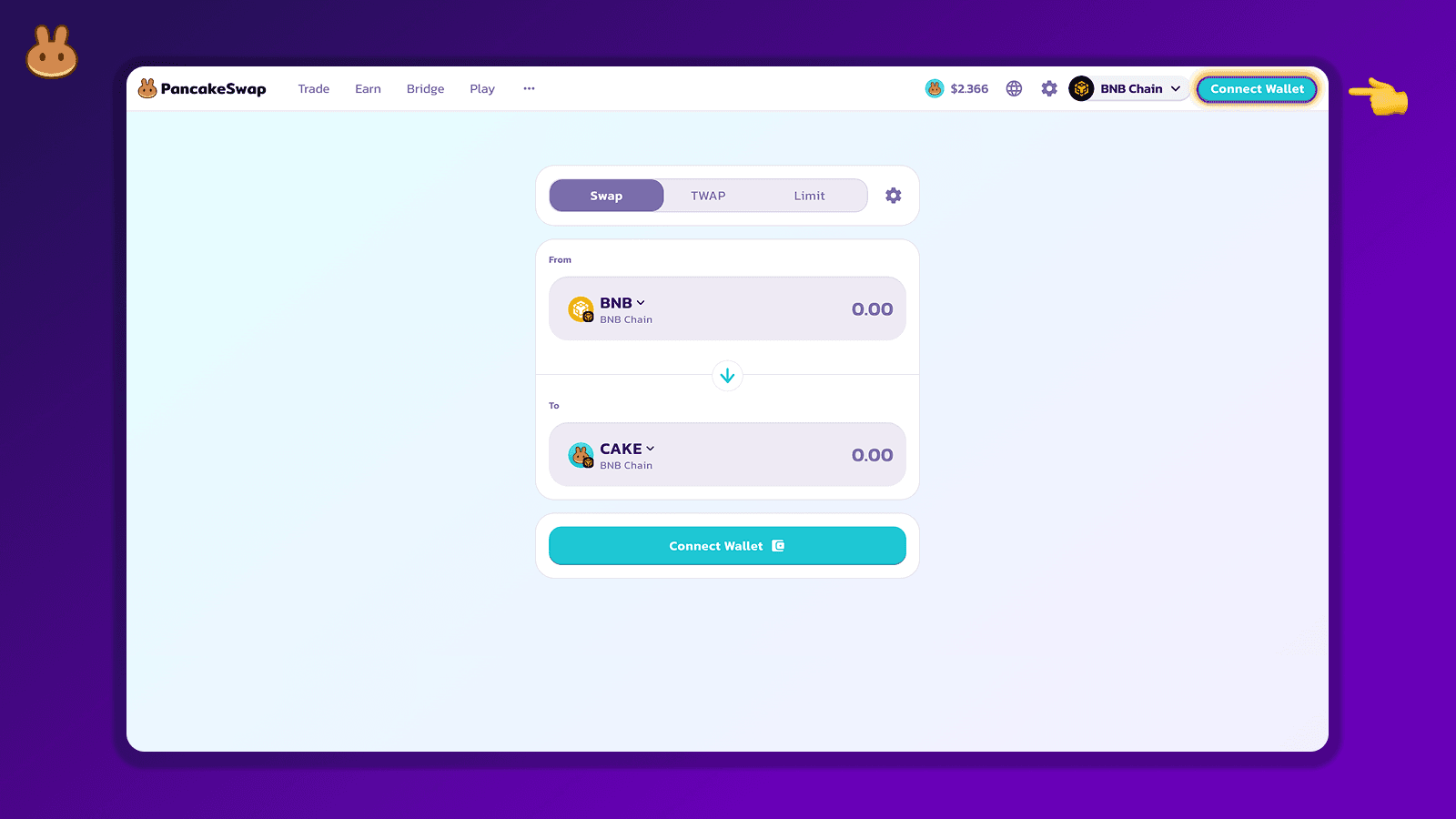
1. Visit PancakeSwap and connect your wallet.
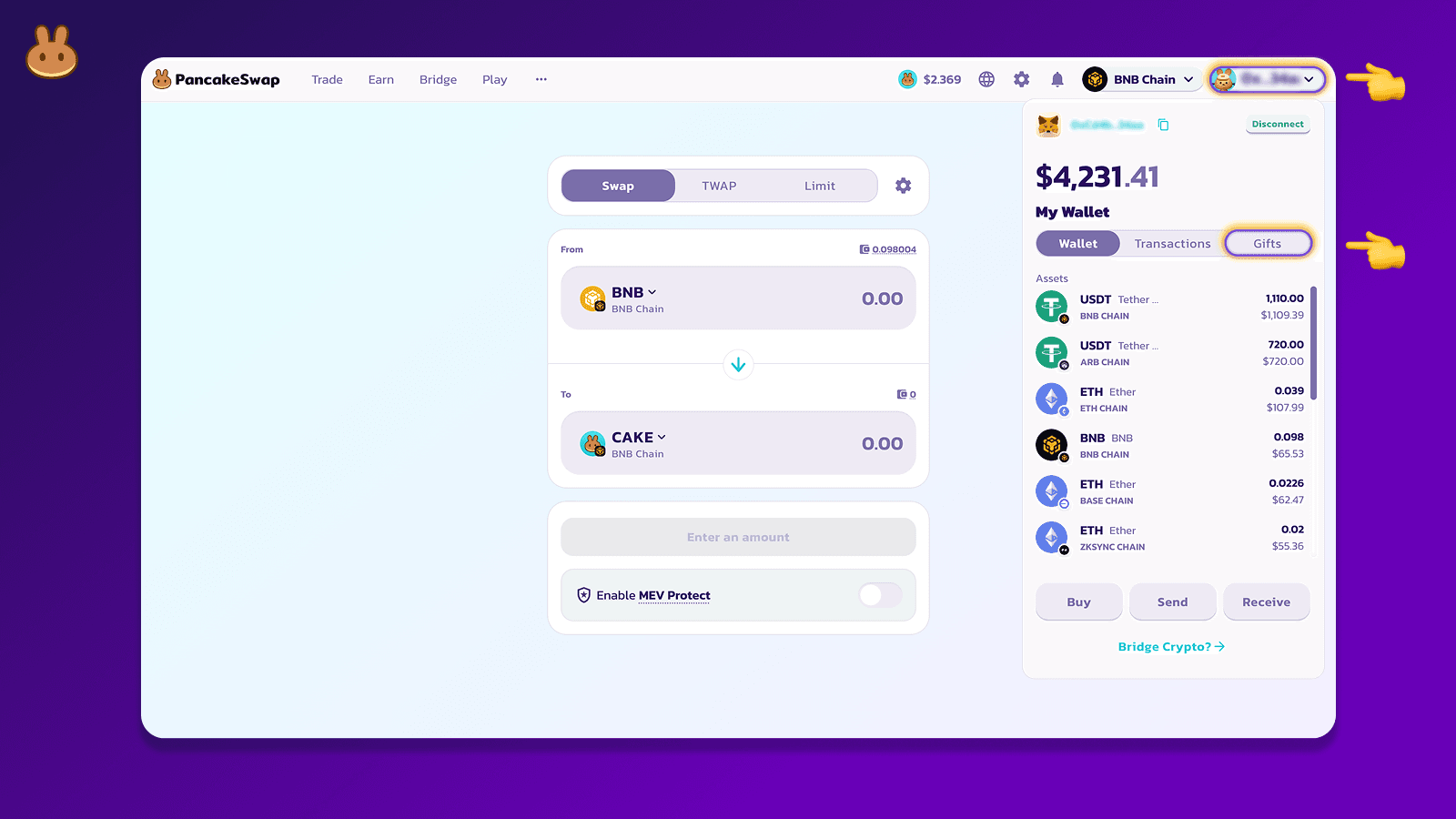
2. Navigate to the “Wallet” section and Click on the “Gift” section.
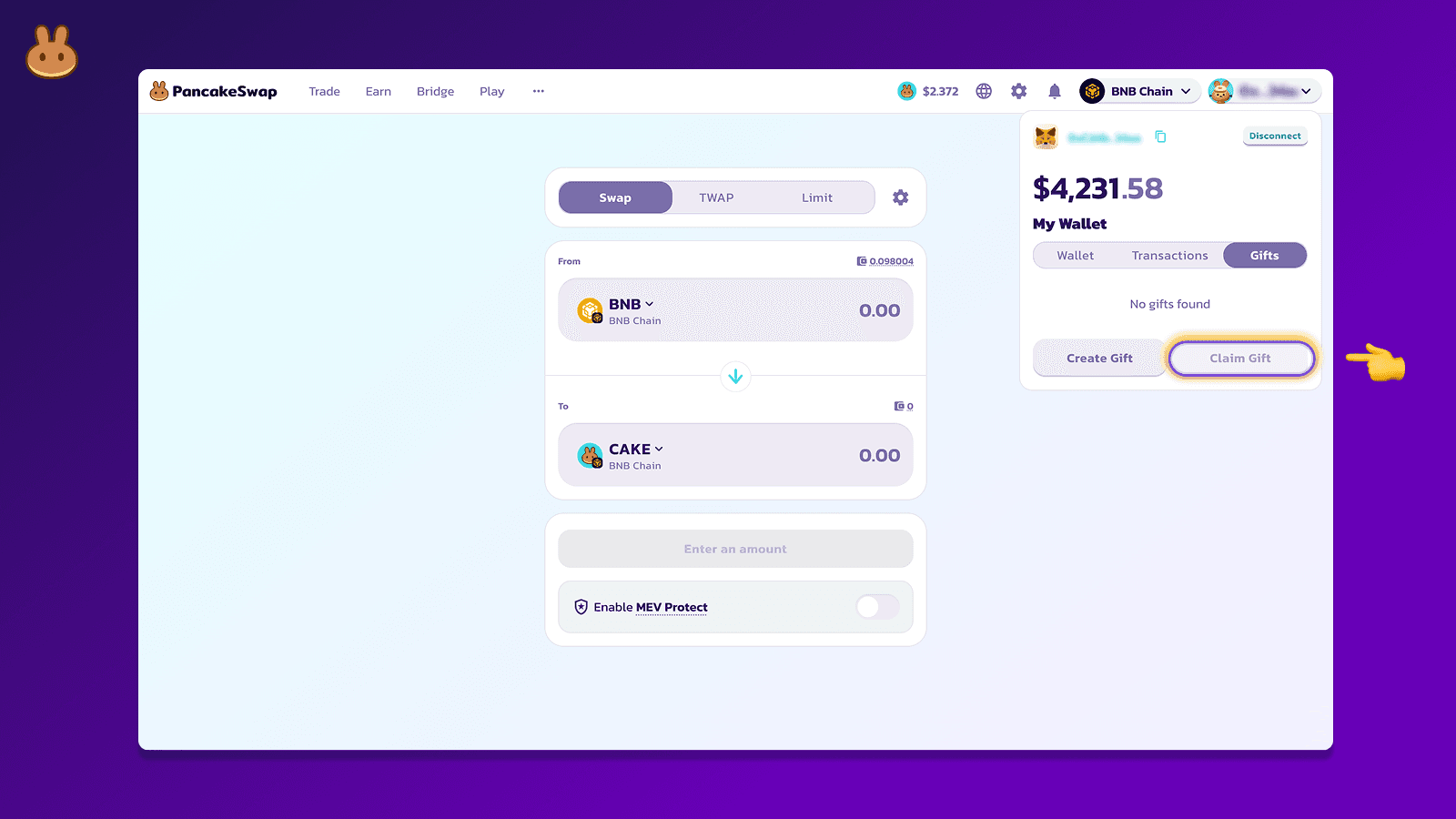
3. Click on “Claim Gift.”
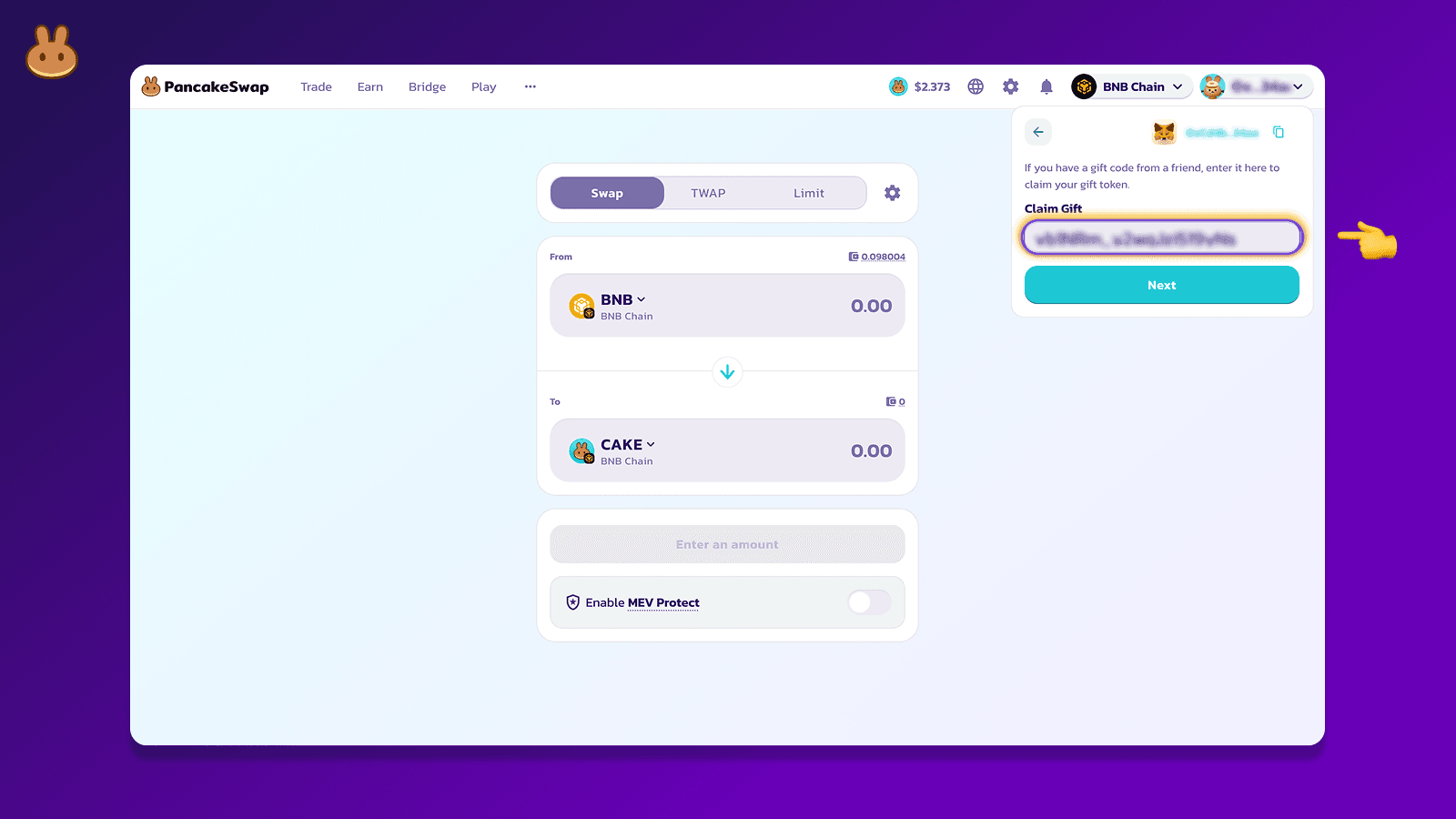
4. Enter your unique gift code manually. (Note: If you click a shared link, the code will be auto-filled after connecting your wallet.)
5. Review the gift details and click “Claim.”
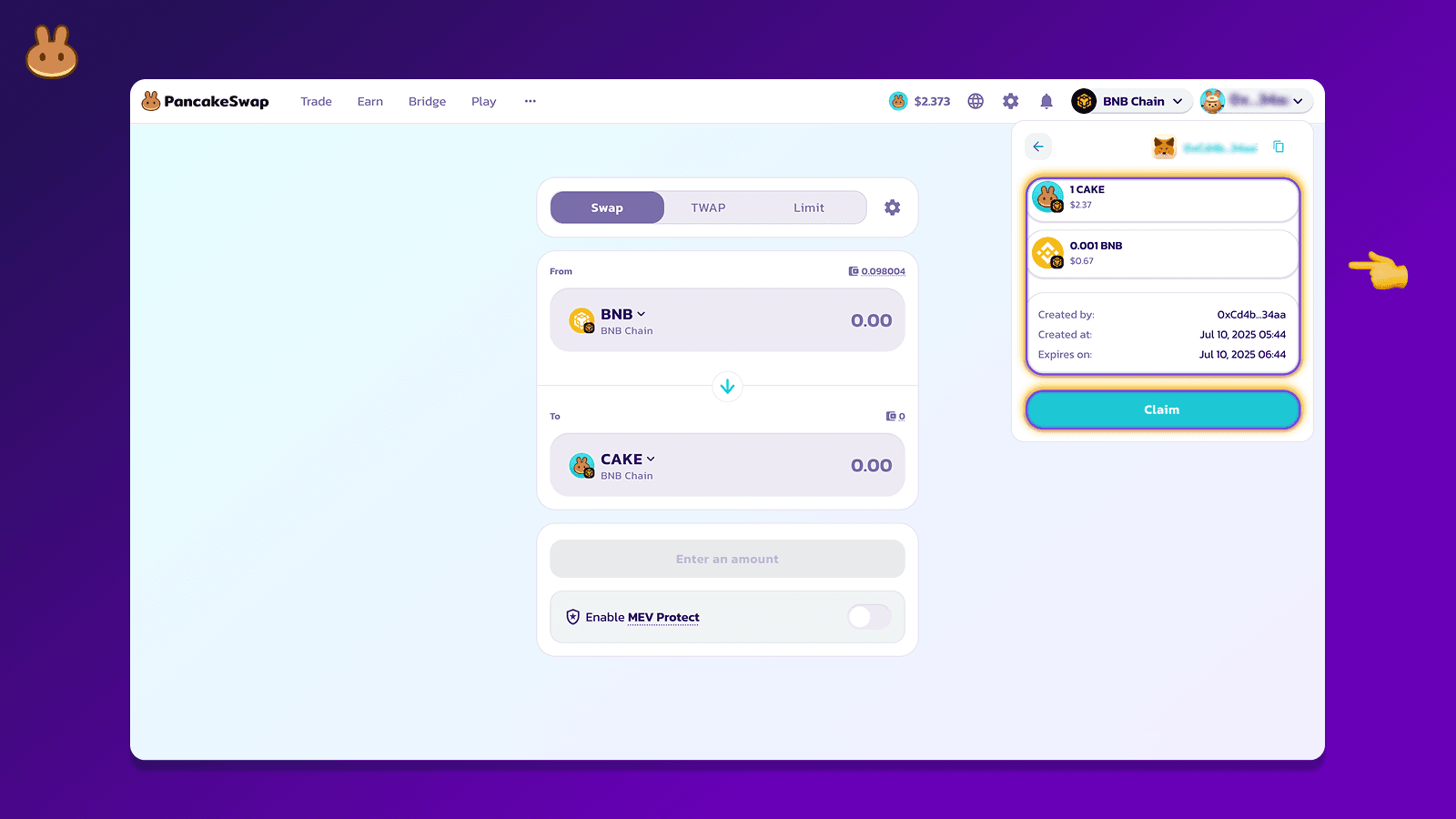
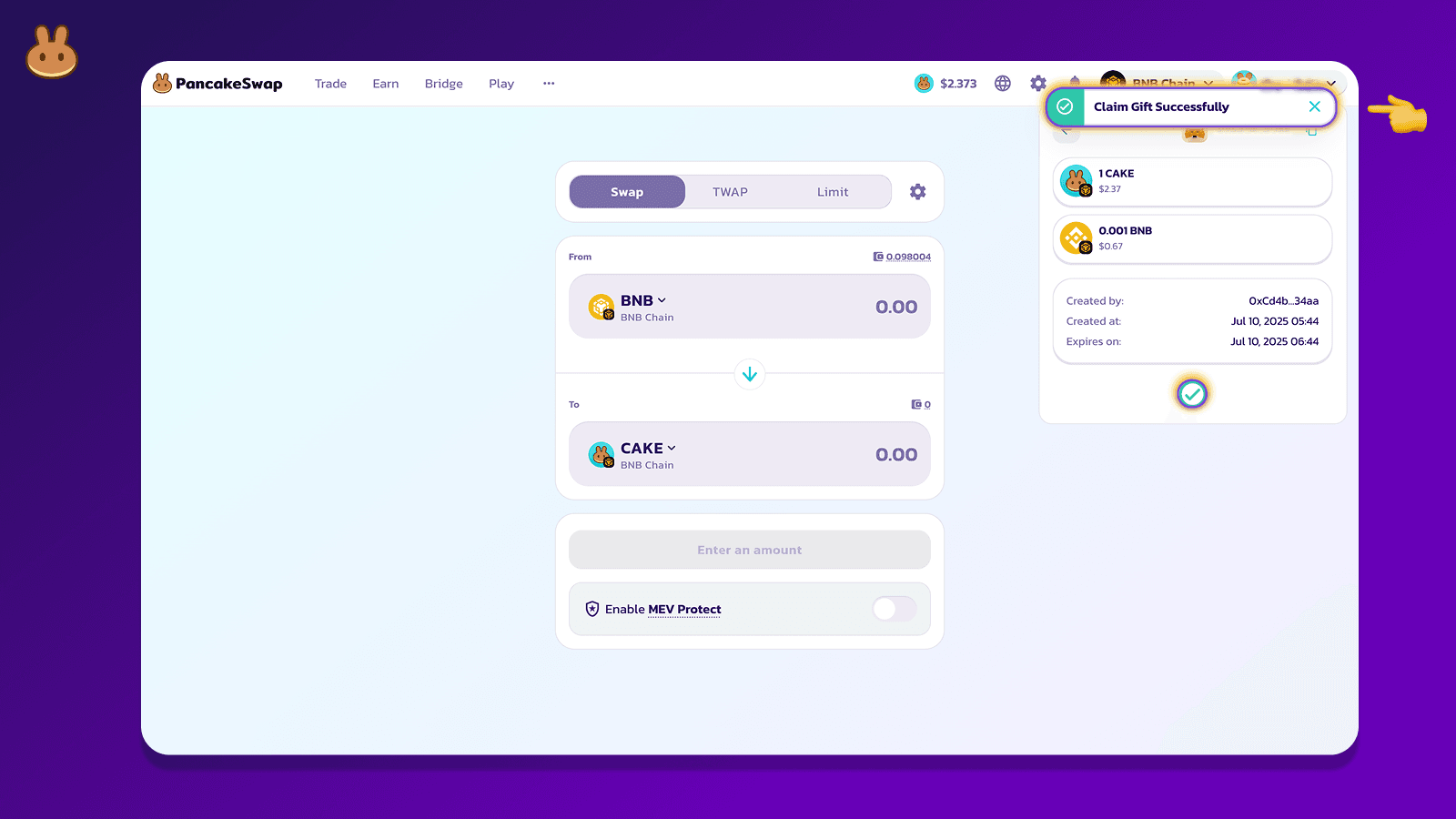
6. That’s it! The gift (and any included BNB gas) is now in your wallet.
Ready to get started? Start gifting at Pancake Gifts and onboard your friends onchain in just a few taps.